


Pregnancy Tracker & Baby App
4.919.11K Reviews
App Specs
- Version
- 7.89.1
- Updated On
- License
- Free
- Downloads
- 5,000,000+
- Developer
- What to Expect
- Categories
- Parenting
- Platform
- Android
Screenshots


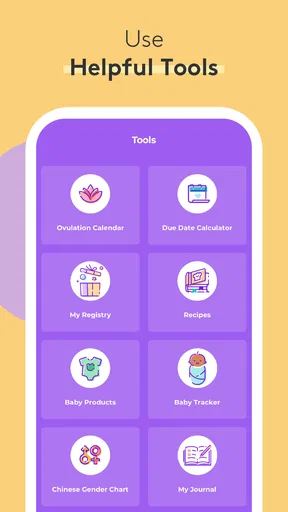
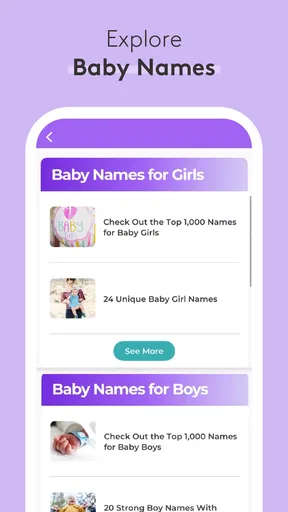
 Analysis by AppCompare
I tend to judge a pregnancy app by what it helps me do at an ordinary, slightly distracted moment—not by how many topics it can display. Pregnancy Tracker & Baby App is aimed at people who want a running sense of pregnancy progress, practical tools, and a place to find reassurance without juggling several separate resources. What stands out to me is the blend of week-by-week guidance and hands-on tracking; what deserves a little thought is how much of that experience depends on having a useful moment to check in and a connection when you need one.
Everyday support, not a substitute for care
Pregnancy questions rarely arrive in a tidy order. You might want to understand a change in your body, remember something for an appointment, or compare notes with someone at the same stage. This is where an all-in-one pregnancy tracker can be more convenient than a calendar, a stack of saved articles, and a separate timer. The app is made by What to Expect, a developer focused here on pregnancy and parenting, and its broad scope suits people who prefer one familiar starting point.
When the connection becomes part of the experience
Network access matters most when I want to move beyond a quick check of a tool and explore information or community conversations. A weak signal can make browsing less convenient, particularly if I am trying to look something up in a waiting room or while travelling. I would treat the app as a useful companion for connected moments rather than assume every part will be available in every setting. For anything important to discuss with a clinician, I would keep the question in my own notes too, instead of relying on being able to open a particular page at exactly the right time.
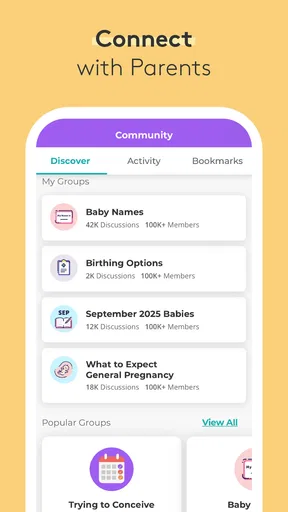
That approach is especially helpful with the community area. Reading other parents’ experiences can make an unfamiliar feeling seem less isolating, but a shared story is not a diagnosis and may not fit your circumstances. I would use conversations to find words for a question or feel less alone, then bring medical concerns to a qualified professional. It is a better balance than treating a busy discussion as a replacement for individual care.
Using it around a real day
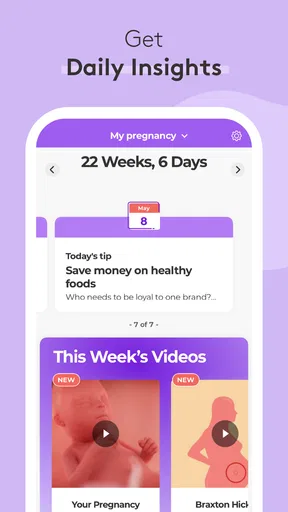
Picture checking the app over breakfast to see where you are in the pregnancy guide, then remembering during a work break that you wanted to ask your provider about a symptom. The week-by-week material gives you a natural prompt, while a reminder or a note you keep elsewhere can help make the next appointment more useful. Later, at home, the kick counter or contraction timer may be the more relevant tool. That shift—from reading, to preparing, to timing—is the practical case for combining several kinds of support in one app.
A small habit can make that routine work better: decide what you want to get from a visit before opening the app. If you are browsing because you feel worried, set a limit on how long you read community posts and write down the specific concern instead. If you are checking progress out of curiosity, the weekly guide is a more focused place to start. This keeps a helpful resource from turning into an endless search for reassurance.
Who will get the most from it
I can see it suiting first-time parents who want a guided overview, people who like reminders and tracking, and expectant parents who find peer conversation comforting. It may also work well for someone who wants pregnancy information and practical timing tools in one place rather than installing a specialist app for each task. The free price removes a purchase decision, and the app has an average rating of 4.9 from 119K ratings, with 19K written reviews and over 5 million installs. Those figures suggest a large audience, though they cannot tell you whether its tone or amount of content will suit you personally.
Worth Reading Before You Choose

Flipboard Shows What News Apps Must Do Beyond the Feed

Switching to Android Auto Means Rethinking Your Driving Routine

Google Calendar Makes a Crowded Week Easier to Manage

Ludo King Makes the Most of the Minutes Between Plans

Baby Panda World Brings Quick Play to Modern Phones, but Its Game Library Feels Busy

ESPN’s Live Game View Makes Following Close Games Easier
It is less compelling if you already have a clinician’s preferred tracking method, want a minimalist date counter, or feel more anxious after reading about other people’s symptoms. In those cases, a basic calendar or a focused tool may be calmer and easier to maintain. A dedicated medical record or symptom log is also a better fit if your priority is sharing precise, structured information with a care team; I would not assume a general pregnancy companion replaces that workflow.
Small trade-offs that shape the routine
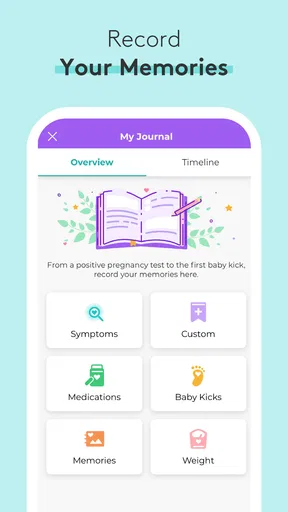
The app’s breadth is useful, but it asks you to choose what deserves attention. A due date gives the experience a starting point, while appointment reminders and weight tracking can add personal context. I would only enable or fill in the elements that genuinely help me. Tracking is not automatically useful just because a field exists, and frequent checking can make ordinary fluctuations feel more significant than they are. Personalization should reduce mental clutter, not create another daily obligation.
The kick counter and contraction timer are practical tools, but I would learn how I intend to use each before relying on it in a stressful moment. A timer can help organize observations; it cannot decide whether a pattern is medically concerning. If a clinician has given you specific instructions, those should guide your decisions. Keeping a simple backup note of relevant questions or timings can also help if your phone is unavailable, the battery is low, or you cannot get a reliable connection when you want to review something.
On the move, and when something goes wrong
Pregnancy does not happen only when you are settled at home. A quick look between errands may be enough for a weekly update, while community reading is easier to do when you have time and a dependable connection. I would avoid making a time-sensitive decision depend on loading a page in a crowded clinic or during travel. If the app is slow or a section will not open, retrying when the connection is steadier is sensible; for urgent symptoms, contacting a care professional is more appropriate than troubleshooting an app.
For a smoother mobile routine, I would keep the app’s role simple: use it for guidance, reminders, and the tools that fit your own care plan. Before an appointment, jot down questions somewhere easy to reach rather than counting on finding a particular article while you are there. When sharing a phone with a partner or family member, consider what personal details you are comfortable entering and who may see them. That is a practical data-conscious choice, even without turning ordinary tracking into a source of worry.
What to expect from the app itself
The app is free, rated for Teen audiences, and its current version is 7.81; it supports devices running Android 10 or later. It first appeared on October 26, 2010, so it is an established product rather than a brand-new experiment. Those details help with basic expectations, but I would still check that your own device meets the system requirement before deciding to install it. The strongest reason to try it is not its age or popularity: it is the convenience of bringing guidance, tracking, reminders, and community into one pregnancy-focused experience.
Compared with the usual alternatives, this is broader than a simple due-date countdown and more pregnancy-specific than a general calendar. That breadth can save time if you use several of its parts, but a specialist timer or a provider’s own instructions may be better for a narrow, high-stakes need. I would start with the weekly guide and one practical tool, then add reminders or community browsing only if they make the day easier. That way, the app earns its place instead of becoming another stream of notifications and information.
Getting Started: First Impressions
When I first opened the Pregnancy Tracker & Baby App, I was greeted with a friendly and intuitive interface. It’s super easy to navigate—even if you’re not tech-savvy. The setup asks for your due date and, once that’s in, voila! You’re all set to explore what the app has to offer.
A Wealth of Information
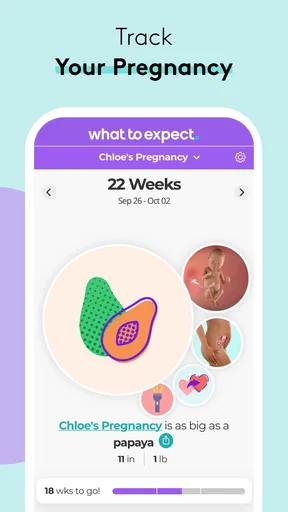
One of the features that I found really helpful is the week-by-week pregnancy guide. Each week, you get detailed info about your baby’s development. It's fascinating to see how much they grow and change! Plus, the app provides tips on what you might be experiencing, which was like having a supportive friend by my side.
The app also includes a kick counter and a contraction timer. These tools are lifesavers, especially as you get closer to your due date. I mean, who knew counting kicks could be so reassuring? It’s like having a constant check-in with your little one!
Customizable and User-Friendly
What I love about this app is how customizable it is. You can tailor the experience to suit your preferences, from setting reminders for doctor’s appointments to tracking your weight. The personalized experience really makes a difference when you're trying to manage all the new changes.
Another neat feature is the community aspect. There’s a section where you can connect with other parents-to-be. Sharing experiences and getting advice from others who are in the same boat can be so comforting. It’s like a virtual support group right at your fingertips.
Final Thoughts
Overall, the app offers a comprehensive, user-friendly, and supportive experience. It’s packed with features that make navigating the ups and downs of pregnancy a bit smoother. Whether you’re looking for information, reassurance, or just a way to connect with other parents, this app has you covered. It’s definitely worth a download if you’re expecting and want to keep everything organized and stress-free.
Ready to dive into your pregnancy journey with a little help? You might just find this app to be the perfect companion.
Pros
- Comprehensive week-by-week updates.
- Customizable notifications and reminders.
- User-friendly interface design.
- Personalized tips for each trimester.
- Track baby’s growth with detailed visuals.
Cons
- Limited features in free version.
- In-app ads can be distracting.
- Requires frequent updates.
- Some features need internet access.
- Data privacy concerns for some users.
FAQs for Pregnancy Tracker & Baby App
What features does the Pregnancy Tracker & Baby App offer?
The Pregnancy Tracker & Baby App provides a comprehensive range of features, including weekly pregnancy updates, baby development insights, and personalized tips. It also has a kick counter, contraction timer, and a community forum to connect with other parents. The app aims to support expectant parents through every stage of pregnancy.
Is the Pregnancy Tracker & Baby App available for both Android and iOS?
Yes, the Pregnancy Tracker & Baby App is available for download on both Android and iOS platforms. Users can find it on the Google Play Store and the Apple App Store, ensuring accessibility for a wide range of smartphone users.
Does the app require an internet connection to function?
The Pregnancy Tracker & Baby App primarily works offline, allowing users to access most features without an internet connection. However, some functionalities, like community forums and updates, require internet access to provide the most current information and user interactions.
How secure is my personal information on the Pregnancy Tracker & Baby App?
The app prioritizes user privacy and employs robust security measures to protect personal information. Data is encrypted and stored securely, adhering to industry standards. Users are encouraged to review the privacy policy for detailed information on data handling practices.
Can partners or family members access the Pregnancy Tracker & Baby App?
Yes, partners or family members can access the app by creating a shared account or using the same login credentials. This allows them to stay informed about the pregnancy journey and support the expectant parent with timely updates and information.


